Open source · React, TypeScript, React Flow
Prototype graph: A Map of How a Prototype’s Screens Connect
A tool that turns one small file describing a prototype’s screens into an interactive map, and points out the screens nobody can reach and the ones that lead nowhere.
Problem
At S&P Global, the team built product ideas as coded prototypes, many of them generated from prompts with the design system (opens in a new tab). Once a flow grew past a handful of screens, nothing showed how the screens connected. You had to click through to find out, and a screen that nothing linked to was easy to miss.
I built the first version near the end of my contract and tried it with the team on the product’s main flow. The version on this page is my own rewrite, published as open source.
How it works
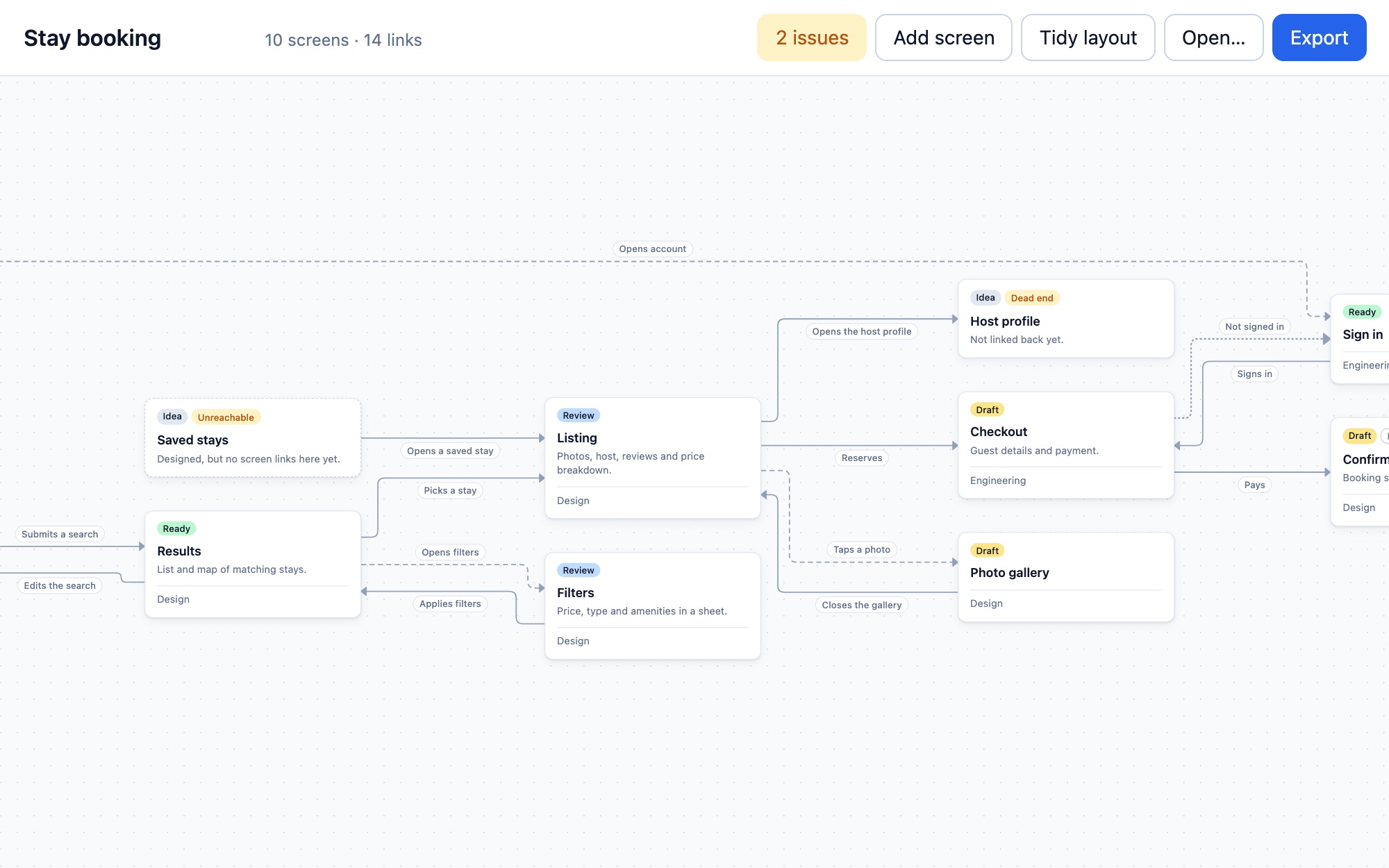
One file describes the flow. Each screen lists its status, where its preview and code live, and its ways out: what the person does, and which screen that leads to.
{
  "id": "checkout",
  "title": "Checkout",
  "status": "draft",
  "preview": "https://…/prototype/checkout",
  "links": [
    { "to": "sign-in", "on": "Not signed in", "kind": "redirect" },
    { "to": "confirmation", "on": "Pays", "kind": "navigate" }
  ]
}
One screen from the sample flow file.
The map is drawn from that file. Screens are laid out left to right in the order people move through them, and every link is labelled with what triggers it. Solid lines change the page, dashed lines open a sheet or dialog, dotted lines are redirects. Selecting a screen fades everything that isn’t connected to it.
Problems are found automatically. The tool walks the flow from its start screens and lists every screen it can’t reach, every screen with no way out, and every link to a screen that doesn’t exist. Clicking an issue jumps to that screen.
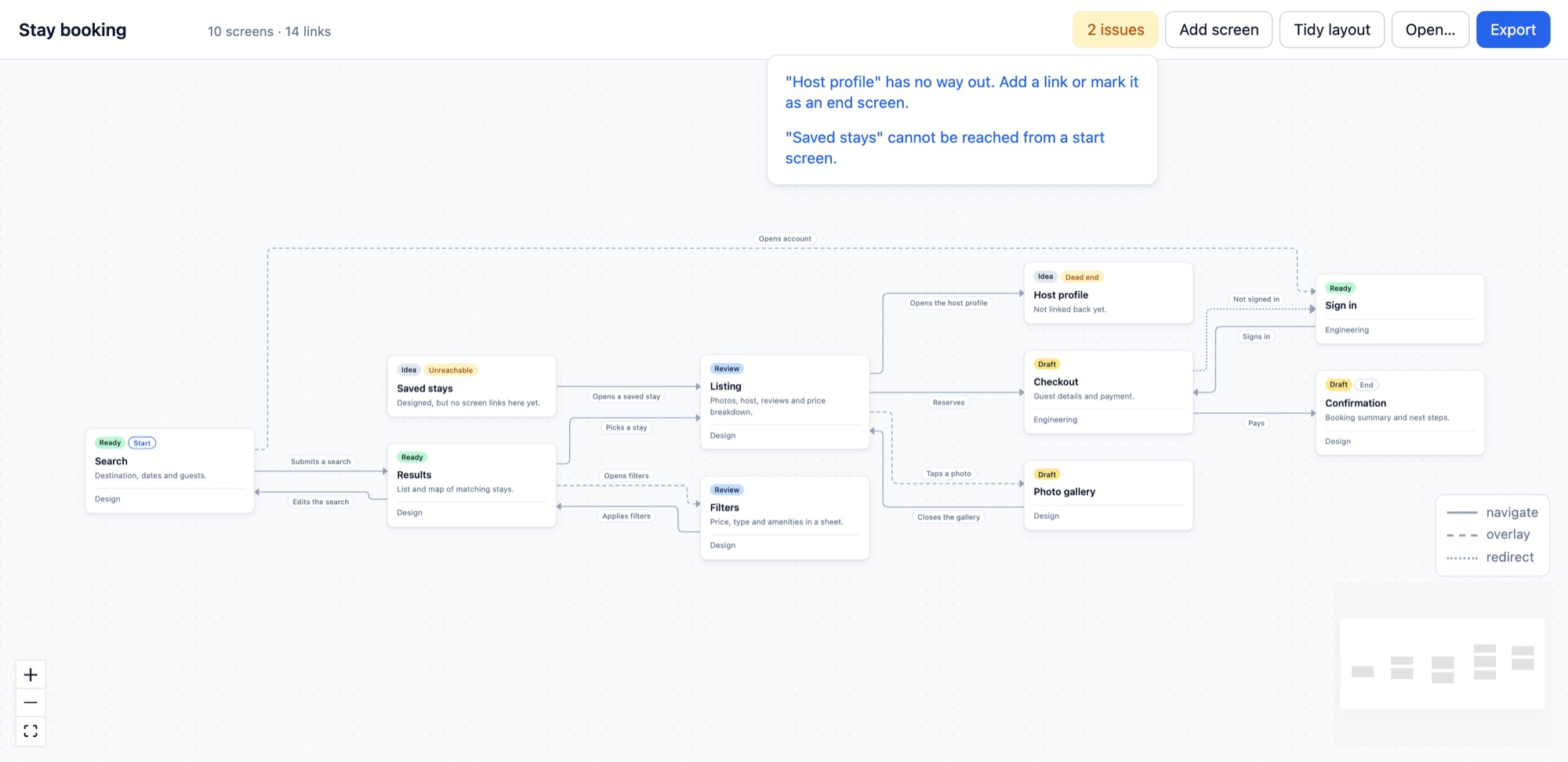
Two issues, flagged on the map
The map is also an editor. Add a screen, drag from one card to another to link them, rename or delete, then export the file. Renaming a screen updates every link that points to it.
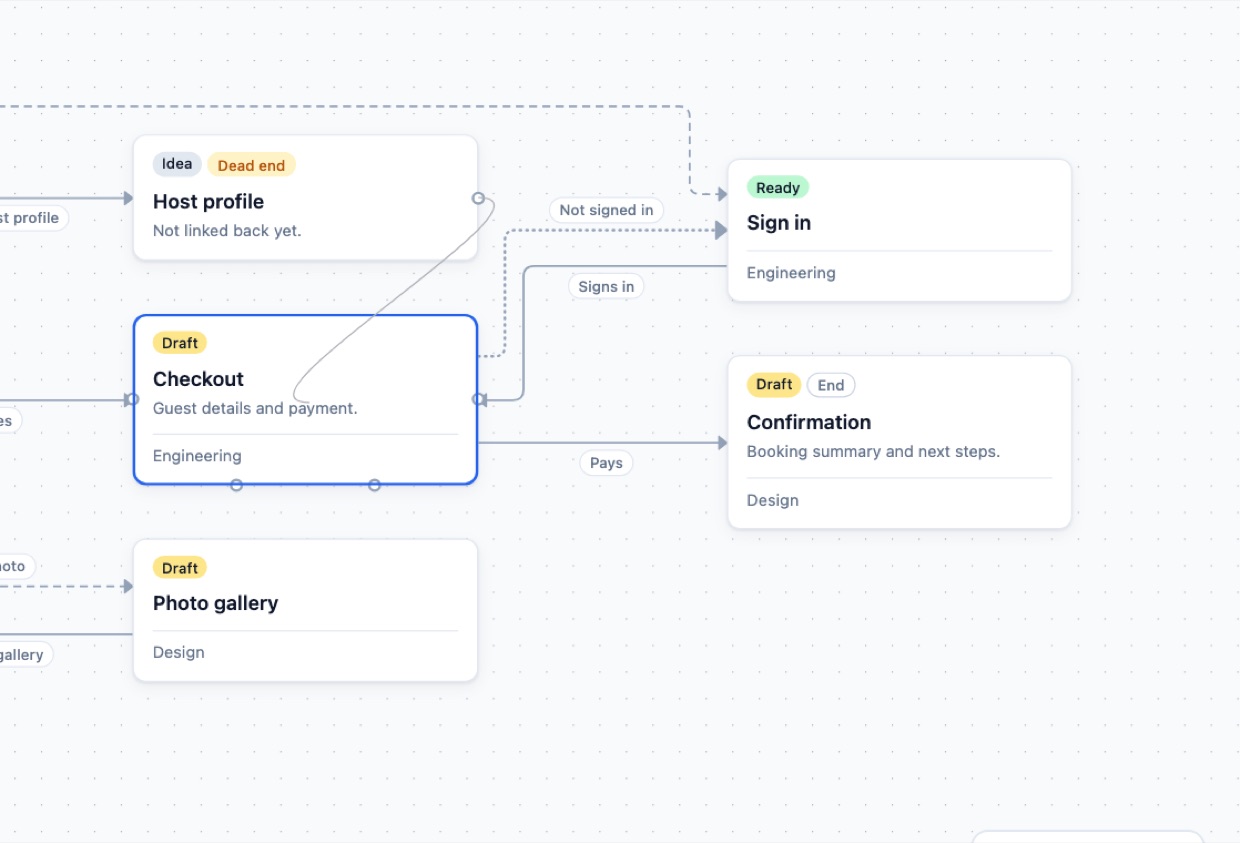
Dropping a link onto a card
Decisions
The file is the source of truth, not the code. Reading routes from a prototype’s code would tie the tool to one framework, and routes know nothing about dialogs, redirects, or screens that are still an idea. A small file works with any prototype and lives in the same repository.
Layout is calculated, never saved. The file only changes when the flow does, so a code review shows real changes instead of moved boxes. The cost is that arranging cards by hand doesn’t stick.
The layout engine routes the lines too. My first pass only positioned the cards, and return links ran behind them with labels piled on top of each other. Now ELK places cards, lines and labels together. When a card is dragged, its lines fall back to simple paths until the layout is tidied again.
Warn, don’t refuse. A flow with a broken link still opens, with the link listed as an issue. Flows get drafted in pieces, and a tool that rejects unfinished work gets abandoned.
Next
- Draft the flow file from a prototype’s router config, instead of writing every link by hand
- Save edits straight back to the repository, instead of downloading the file